
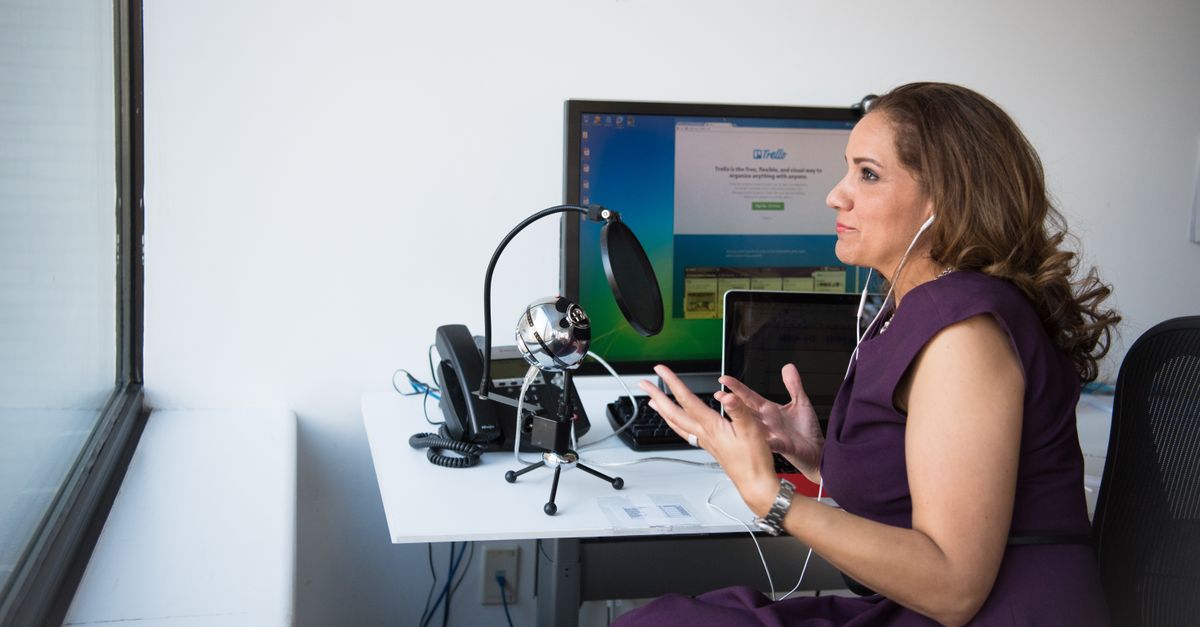
Foto de Christina Morillo no Pexels
How to Transcribe Interviews: A Complete Workflow for Journalists
Discover the ultimate guide to professional interview transcription. Learn how to optimize your recording workflow and use AI tools like VoxScriber to save hours of manual work.

Digital Journalist & Content Strategist
The Journalist’s Dilemma: Speed vs. Accuracy
For journalists, the interview is the heartbeat of storytelling. Whether it is a quick phone call with a subject matter expert or a deep-dive investigative sit-down, the raw audio contains the nuances, quotes, and facts that build a compelling narrative. However, the process of turning that audio into text—transcription—has historically been the most tedious part of the job.
Manual transcription is a notorious time-sink. For every hour of recorded audio, a fast typist usually spends four to six hours transcribing. In a fast-paced newsroom or a tight freelance deadline, this delay is more than just an inconvenience; it is a barrier to productivity. This is where modern AI-powered tools and a structured workflow become essential.
In this guide, we will walk through a professional workflow designed specifically for journalists and researchers. From the moment you hit 'record' to the final export into your CMS or word processor, here is how to master the transcription process with VoxScriber.
Step 1: Capturing High-Quality Audio
Transcription accuracy starts long before you upload a file. The quality of your AI-generated transcript is directly proportional to the quality of your audio recording. If the AI cannot 'hear' the words clearly due to background noise or muffled voices, the error rate will climb.
Choose the Right Environment
Whenever possible, control your environment. Avoid busy coffee shops or windy outdoor locations. If you must record in a public space, try to find a quiet corner and place the microphone as close to the speaker as possible. Soft surfaces like carpets and curtains help reduce echo, which can confuse transcription algorithms.
Invest in a Dedicated Microphone
While smartphone microphones have improved significantly, they are omnidirectional, meaning they pick up sound from everywhere. For journalists, a directional 'lavalier' mic or a portable digital recorder (like those from Zoom or Tascam) is a game-changer. If you are recording a remote interview via Zoom or Google Meet, use a software-based recorder that captures high-fidelity digital audio rather than recording through your computer’s speakers.
Monitor Your Levels
Always do a quick sound check. Ensure the audio isn't 'clipping' (distorting because it is too loud) or too faint. A consistent, clear signal makes it much easier for VoxScriber to distinguish between different phonemes and accents.
Step 2: File Preparation and Formats
Once the interview is over, you need to handle the file correctly. Most modern recorders save files as WAV or MP3. While WAV offers the highest quality, the file sizes are massive. For the purposes of transcription, a high-bitrate MP3 (192kbps or higher) is usually the perfect balance between clarity and upload speed.
Consistency in Naming
Before uploading, rename your files using a consistent convention. For example: 2023-10-25_Interview_JohnDoe_Politics.mp3. This seems like a small step, but when you are managing dozens of interviews for a long-form project, it prevents the nightmare of searching through files named Recording_001.mp3.
Trimming Unnecessary Audio
If you have ten minutes of small talk at the beginning of a recording, consider trimming it using a basic audio editor. This saves you credits and ensures the transcription engine focuses only on the relevant content.
Step 3: Leveraging VoxScriber for Rapid Transcription
With your file ready, it is time to let technology do the heavy lifting. VoxScriber uses advanced speech-to-text models that understand context, industry-specific terminology, and various accents.
The Upload Process
Simply drag and drop your file into the VoxScriber dashboard. One of the key advantages of using a dedicated platform is the ability to select the specific language and dialect. If your interviewee has a thick British accent or is speaking in Spanish, selecting the correct language profile significantly boosts accuracy.
Speaker Identification (Diarization)
For journalists, knowing who said what is vital. Our platform features automatic speaker diarization. The AI analyzes the unique vocal characteristics of each person and labels them as 'Speaker 1', 'Speaker 2', etc. This saves you from having to manually attribute every quote during the editing phase.
Step 4: Reviewing and Refining the Transcript
No AI is 100% perfect, especially if there are technical terms, brand names, or local slang involved. However, the goal isn't to get a perfect transcript immediately; it is to get a 95-98% accurate draft that you can polish in minutes.
The Interactive Editor
VoxScriber provides an interactive editor where the text is synced with the audio. When you click on a word in the text, the audio jumps to that exact moment. This allows you to quickly verify a suspicious-looking quote without scrubbing through a timeline manually.
Focus on 'The Hook'
As a journalist, you don't always need to polish the entire transcript. Use the search function to find keywords related to your story's main points. Focus your editing efforts on the specific quotes you plan to use in your article. This 'selective editing' can cut your workflow time in half.
Step 5: Exporting for Article Writing
Once you are satisfied with the transcript, you need to move it into your writing environment. VoxScriber supports multiple export formats, including .docx, .txt, and .srt (for video captions).
Timestamps for Fact-Checking
When exporting, choose to include timestamps. This is a best practice for investigative journalism. If an editor questions a quote, you can immediately refer back to the exact second in the original audio file to prove accuracy.
Organizing Quotes
Many journalists prefer to export to a Word document and then use a 'split-screen' view: the transcript on one side and their article draft on the other. Having a clean, speaker-labeled transcript makes the process of 'copy-pasting' quotes seamless.
Manual vs. AI Transcription: The Real-World Comparison
To understand why this workflow is essential, let's look at a time comparison for a standard 60-minute interview.
Manual Transcription:
- Typing time: 4 to 6 hours.
- Fatigue level: High (constant pausing and rewinding).
- Cost: $0 (but significant 'opportunity cost' of your time).
AI-Powered Workflow (VoxScriber):
- Processing time: 5 to 10 minutes.
- Review/Editing time: 15 to 20 minutes.
- Total time: Under 30 minutes.
- Cost: Minimal (a fraction of a professional human transcriber's fee).
For a busy journalist, saving over four hours per interview means more time for actual reporting, researching, and writing. Over a month, this can add up to dozens of reclaimed hours.
Pro-Tips for Power Users
- Custom Vocabulary: If you are covering a niche topic (like biotechnology or specialized legal proceedings), check if your transcription tool allows for custom glossaries to help the AI recognize jargon.
- Mobile Uploads: If you are in the field, use the mobile-friendly web interface to upload your recording immediately after the interview. By the time you get back to your desk, the transcript will be waiting for you.
- Security First: Ensure your transcription provider uses encryption. Journalists often handle sensitive information; VoxScriber prioritizes data privacy to keep your sources safe.
Conclusion
The transition from manual to AI-assisted transcription is one of the most significant productivity boosts available to modern journalists. By following a structured workflow—capturing clean audio, using automated speaker identification, and performing targeted edits—you can transform your creative process. Technology should not replace the journalist's ear, but it should certainly handle the grunt work of the keyboard.
Frequently Asked Questions
Q: How long does it take to transcribe a 30-minute interview? A: With VoxScriber, a 30-minute audio file is typically processed in less than 5 minutes. Depending on the audio quality, you may spend another 10 minutes reviewing and polishing the text.
Q: Can the AI handle interviews with multiple people? A: Yes. Our speaker diarization feature can distinguish between multiple voices, labeling them separately so you can easily follow the conversation flow.
Q: Is my data secure when I upload sensitive interviews? A: Absolutely. We use industry-standard encryption and strict privacy protocols to ensure that your recordings and transcripts remain confidential and accessible only to you.
Ready to reclaim your time? Experience the speed and accuracy of professional AI transcription. Try VoxScriber today and turn your interviews into stories faster than ever before.
About the author
Digital Journalist & Content Strategist
I've worked in digital journalism and content strategy for over nine years, covering technology, media, and the creator economy. Along the way, transcription became one of my essential tools — turning podcast interviews into articles, video content into searchable text, and live meetings into actionable notes.