
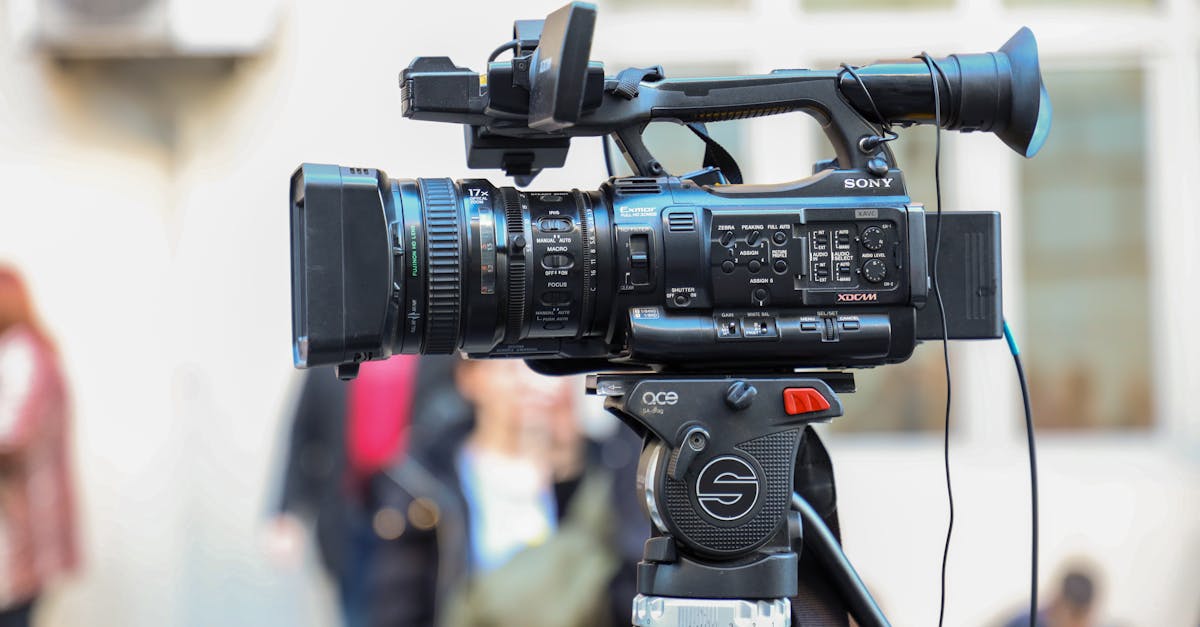
Foto de Boris Hamer no Pexels
Video to Text Transcription: The Complete Guide for Content Creators
Learn how video transcription can boost your SEO, improve accessibility, and streamline your content repurposing workflow. Discover the step-by-step process to turn your videos into powerful written assets.

Qualitative Research Specialist
In the modern digital landscape, video is king. However, even the most visually stunning video content can fall short if it isn't supported by text. For content creators, the process of converting video to text is no longer just an optional task; it is a strategic necessity. Whether you are a YouTuber, a podcaster, or a corporate educator, transcription bridges the gap between audio-visual media and the text-heavy requirements of search engines and global audiences.
At VoxScriber, we understand that your time is valuable. Manually typing out every word of a thirty-minute video is a chore that drains creativity. This guide will walk you through why transcription matters, how it supercharges your SEO, and the most efficient workflow to turn your recordings into a multi-platform content machine.
Why Transcription Matters for Modern Creators
Many creators view transcription as an afterthought—something to be added only if there is extra time. This perspective ignores the massive benefits that come from having a text-based version of your audio. Transcription serves three primary pillars of digital success: SEO, accessibility, and content longevity.
First, search engines like Google and YouTube cannot 'watch' your video in the way humans do. While AI is improving at identifying objects in frames, search algorithms primarily rely on text to understand context. By providing a full transcript, you are giving search engines a detailed map of your content, allowing them to index your videos for specific keywords and long-tail phrases.
Second, accessibility is a legal and ethical standard. Millions of viewers are deaf or hard of hearing. Additionally, many users watch videos in sound-sensitive environments—like a quiet office or a loud train—without headphones. Providing captions and transcripts ensures that your message reaches everyone, regardless of their situation or physical ability.
The Power of Content Repurposing
Content repurposing is the secret weapon of high-output creators. A single 10-minute video contains enough information for a long-form blog post, five social media captions, and a weekly newsletter. Without a transcript, you would have to re-listen to your video multiple times to extract these snippets. With a text file provided by a tool like VoxScriber, you can simply copy, paste, and tweak. This efficiency allows you to maintain a consistent presence across all platforms without burning out.
Boosting SEO with Video Transcripts
Search Engine Optimization (SEO) is the backbone of organic growth. When you upload a video to YouTube or your website, the title and description provide only a snapshot of the content. A full transcript, however, contains the natural language and specific terminology that your audience is searching for.
Targeting Long-Tail Keywords
When people speak naturally, they often use long-form questions and specific phrases that they might not type into a short search query. These 'long-tail keywords' are less competitive and highly targeted. If your video discusses 'the best ways to set up a home studio on a budget,' a transcript will capture every specific mention of equipment, lighting, and software. This increases the likelihood of your content appearing in niche search results.
Decreasing Bounce Rates and Increasing Dwell Time
User behavior signals are crucial for SEO. If a user lands on your page and finds both a video and a full transcript, they are likely to stay longer. Some prefer to watch, while others prefer to skim the text for specific information. By providing both, you satisfy different user intents, which keeps visitors on your site longer. Search engines interpret this 'dwell time' as a sign of high-quality content, further boosting your rankings.
The Ultimate Workflow: From Recording to Publishing
To maximize your efficiency, you need a repeatable workflow. Following a structured process ensures that no step is missed and that your transcription efforts yield the highest possible return on investment.
Step 1: Record Your Video with Clarity
The quality of your transcription starts before you even open your editing software. The clearer your audio, the more accurate your automated transcription will be. Use a dedicated microphone rather than your camera's built-in mic. Minimize background noise and speak at a steady, natural pace. This 'clean' audio makes it much easier for AI models to distinguish between words.
Step 2: Transcribe with VoxScriber
Once your video is recorded and edited, upload the audio or video file to VoxScriber. Our AI-driven engine processes the speech and converts it into text in a fraction of the time it would take to do manually. You can choose to export the file as a standard text document, a PDF, or an SRT file for subtitles. Using an automated tool at this stage is the most significant time-saver in the entire process.
Step 3: Edit and Refine
No AI is 100% perfect, especially when it comes to technical jargon, brand names, or heavy accents. After the initial transcription is generated, do a quick pass to correct any errors. This is also the time to format the text. If you plan to turn the transcript into a blog post, add headings, bullet points, and bold text to make it readable. If it is for subtitles, ensure the timing aligns perfectly with the visual cues.
Step 4: Multi-Platform Publishing
Now that you have your polished text, it is time to distribute it.
- Blog Post: Embed the video at the top of a page and paste the formatted transcript below it.
- Social Media: Take the most impactful quotes from the transcript and use them as captions for Instagram, LinkedIn, or X (formerly Twitter).
- Subtitles: Upload the SRT file back to YouTube or your video hosting platform to enable closed captions.
- Newsletter: Summarize the key points of the transcript into a 'TL;DR' (Too Long; Didn't Read) format for your email subscribers.
Tips for Improving Transcription Accuracy
While modern AI is incredibly advanced, there are several things you can do to ensure your transcripts require minimal editing. Accuracy is the result of both good technology and good preparation.
Use High-Quality Audio Equipment
As mentioned previously, audio quality is the single most important factor. Avoid using 'room audio' where the sound bounces off hard surfaces. A simple lapel mic or a USB condenser microphone can significantly reduce the 'muddiness' of the recording, making it easier for transcription software to identify distinct phonemes.
Avoid Overlapping Speech
If you are recording an interview or a panel discussion, try to ensure that only one person speaks at a time. Overlapping speech is one of the most difficult things for AI to decipher. Brief pauses between speakers not only make for a better listening experience but also result in a much cleaner transcript.
Define Technical Terms Early
If your content is highly technical, speaking clearly and perhaps spelling out an unusual acronym the first time you use it can be helpful. This provides more context for the AI and makes the subsequent editing process faster.
Turning Transcripts into Engaging Subtitles
Subtitles are more than just a translation of speech; they are a visual aid. When using VoxScriber to generate subtitles, keep readability in mind. Aim for no more than two lines of text on the screen at once. Ensure the text stays on screen long enough for a slow reader to process it. By providing high-quality subtitles, you can increase your video's completion rate, as viewers are more likely to finish a video when they can follow along with text.
The Future of Content is Text-Enabled
As we move toward a more integrated digital world, the lines between different media formats are blurring. A video is no longer just a video; it is a source of data, a script for a podcast, and the foundation of a written article. By mastering the art of video-to-text transcription, you are future-proofing your content and ensuring that your voice is heard—and read—by the widest possible audience.
Transcription is the key to unlocking the full potential of your creative work. It turns a temporary viewing experience into a permanent, searchable, and shareable asset. By incorporating VoxScriber into your creative workflow, you can focus on what you do best: creating great content, while we handle the heavy lifting of turning your words into text.
Frequently Asked Questions
Q: How long does it take to transcribe a 10-minute video? A: With VoxScriber, a 10-minute video can usually be transcribed in less than 5 minutes. The exact time depends on the file size and the complexity of the audio, but it is significantly faster than manual typing.
Q: Does transcription really help my YouTube rankings? A: Yes. YouTube uses the text from your uploaded transcripts and closed captions to understand your content. This helps your video appear in more relevant search results and suggested video sidebars.
Q: Can I transcribe videos in languages other than English? A: Absolutely. VoxScriber supports multiple languages, allowing you to reach an international audience by transcribing and even translating your video content into different tongues.
Q: What is the difference between a transcript and subtitles? A: A transcript is a plain text document containing everything said in the video. Subtitles are timed text snippets that appear on-screen during the video, usually provided in an SRT or VTT file format.
Ready to elevate your content strategy? Start your journey with VoxScriber today and transform your videos into powerful text assets with just a few clicks.
About the author
Qualitative Research Specialist
I hold a PhD in Communication Studies and have spent the past decade designing and conducting qualitative research — from academic interviews to large-scale focus group studies. Transcription has always been one of the most time-consuming steps in my workflow, and the rise of AI-powered tools has changed that completely.